OpenCV Image Process
- 3.8
- Rating
- 10.00K
- Installs
- Free
- Price

 Analysis by App-foxy
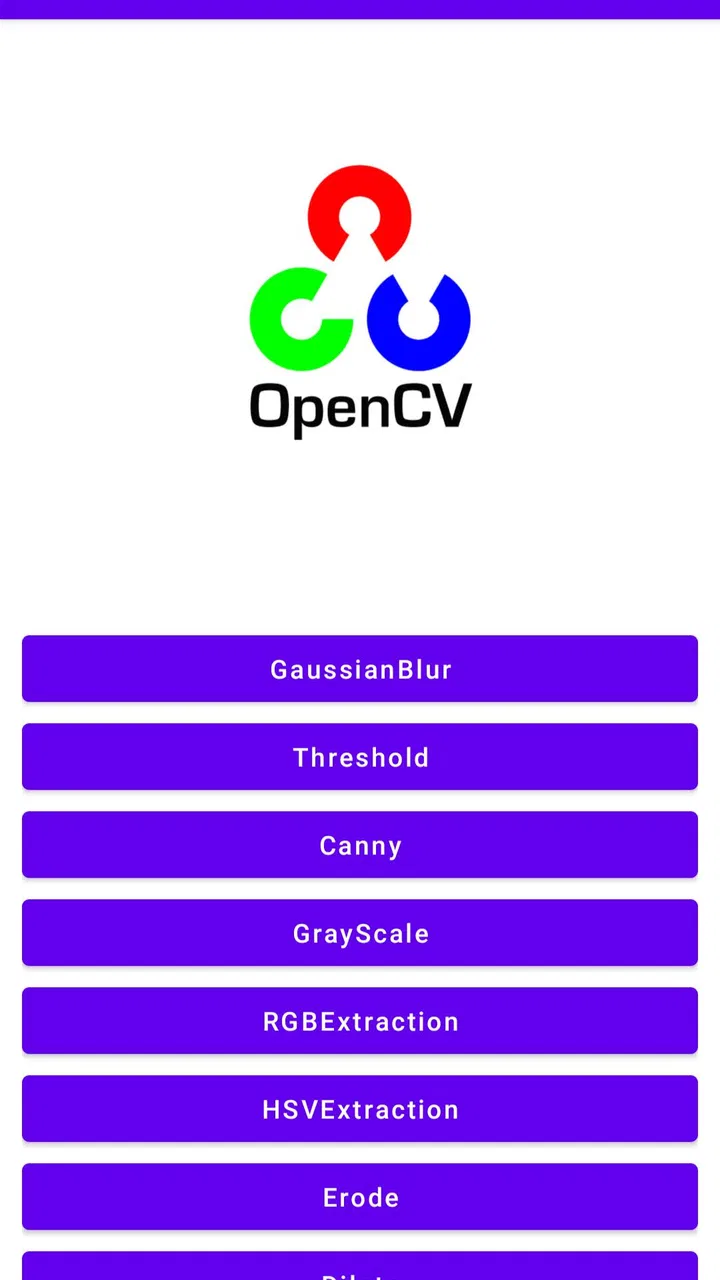
I approached OpenCV Image Process as a small, practical image-processing tool rather than a full photo editor. Its purpose is clear: it uses OpenCV to work with images, making it more relevant to experimentation, technical learning, and simple processing tasks than to someone looking for filters, templates, or a polished social-media editor. After spending time with it, I see the main appeal in its focused design. It tries to put an image-processing library into an Android app that is easier to access than setting up a development environment.
That focus also explains its limits. This is not the kind of app I would recommend to someone who wants a large creative workspace with layers, retouching brushes, or a long list of one-tap effects. I would point it toward curious users, students, developers, and anyone who wants to explore what OpenCV can do from a phone. The app is free, carries an Everyone age rating, and comes from Asogaru Lab. Its store summary describes it as an image-processing application using OpenCV, while the shorter description is simply “OpenCV Image,” so the experience is best judged as a compact technical utility rather than a general-purpose camera companion.
What the app feels like in everyday use
The first thing I noticed is how specific the app’s identity is. Many image apps begin with the finished picture in mind: make it brighter, add a frame, remove a blemish, or prepare it for sharing. OpenCV Image Process starts from the processing method itself. That difference matters. Instead of treating image editing as decoration, it presents it as an operation that can help you understand how an image changes when a computer applies a particular technique.
You May Also Like

 Pandora - Music & Podcasts
Pandora’s Music Is Easy to Start, but Harder to Recover
Pandora’s strength is its low-effort path from a seed to a station. Its weak spot is how much confidence it asks you to place in connection, setup, and quiet recovery.

 AccuWeather: Weather Radar
AccuWeather Review: A Quick, Clear Forecast for Everyday Decisions
For everyday plans, the best forecast is the one you can understand quickly. AccuWeather makes rain timing, radar, and local conditions easy to act on, with a few trade-offs.

 Hill Climb Racing
Why Hill Climb Racing Still Turns Crashes Into One More Run
A tiny car, a bumpy hill and one more upgrade: Hill Climb Racing keeps resurfacing because its simple chaos makes every near-miss feel personal.

 AliExpress - Shopping App
AliExpress Makes Global Shopping Feel Personal, but Shoppers Bear the Risk
AliExpress turns a global marketplace into a pocket-sized discovery engine. Its reach is useful, its shopping loop compelling, and its trade-offs easy to miss.

 Lords Mobile: Kingdom Wars
Lords Mobile Is a Kingdom-Building Routine, Not a Quick Match
A case-by-case verdict on the building, battles, device demands, and social commitments that make Lords Mobile rewarding for some players and exhausting for others.

 PDF Scanner app - TapScanner
TapScanner Makes Paperwork Easier to Capture, Check, and Share
TapScanner makes scanning with a phone feel less like a rescue operation and more like a dependable step in getting work done. Its capture tools are useful, though not flawless.
More From Our News Desk
View All News


For a learner, that can be more useful than a conventional editor. You can think about an image as input, processing, and output, rather than as a canvas where you keep adjusting sliders until something looks right. That mindset makes the app a reasonable companion for introductory computer-vision exercises. It can also help someone decide whether OpenCV is worth exploring more seriously before committing time to programming on a desktop.
I would not describe the interface as a replacement for a professional workflow. The app’s narrow purpose means that its value depends heavily on what you want to do with the result. If you need to post a finished image immediately, a mainstream editor will usually feel more direct. If you want to inspect the effect of image processing itself, the simpler approach here is the point, not a weakness.
Speed expectations on a phone
Speed is difficult to judge by the number of buttons on the screen. Image processing can feel immediate with a small picture and noticeably less comfortable with a large one. The sensible expectation is that ordinary, modest images should be easier for the app to handle than very high-resolution files. OpenCV is designed for efficient computer-vision work, but that does not make every operation cost-free on a mobile device.
In practical terms, I would begin with a smaller copy of an important image. That gives you a safer test and keeps the first processing attempt from becoming a frustrating wait. It also makes comparisons easier: you can see whether the operation changed the image in the intended way without mixing the result with the complications of a huge source file.
One useful habit is to avoid judging the app from a single dramatic test. Try the same operation on a simple image, an image with fine detail, and an image with strong contrast. Processing that looks impressive on a clean subject may behave differently around hair, text, foliage, or shadows. OpenCV-based work is often sensitive to the structure of the source, so the visual result is part of the performance experience. A fast result that destroys useful detail is not necessarily a successful one.
The current version is 1.3.0, and the app was released on August 8, 2021. Those details place it in a fairly established part of its life rather than making it feel like a brand-new experiment. I would still keep expectations realistic: a compact app with a technical focus should be valued for the problem it solves, not compared directly with heavily optimized commercial editors that have much broader resources and ambitions.
Where heavier use can become uncomfortable
The demanding moments are likely to come from the combination of image size, processing method, and how many images you try to handle in a session. A single test image is one thing; repeatedly processing large files is another. Even when the app remains usable, the phone may have to work harder, and the experience can become less pleasant on older or entry-level hardware.
This is where I would use a deliberate workflow. Keep the original untouched, make a working copy, and process that copy first. If the result is useful, repeat the operation with a better-quality source. This two-step approach is especially sensible when you are testing an unfamiliar operation, because it prevents an experiment from becoming an accidental edit to the only version of a photo you have.
Another practical tip is to close unrelated demanding apps before a longer session. I would not do this because OpenCV Image Process is automatically resource-heavy in every situation, but because mobile memory and processing capacity are shared. Reducing background activity gives a technical utility a cleaner environment and makes it easier to tell whether a delay comes from the image, the phone, or another app competing for resources.
For a classroom exercise or a quick demonstration, this should be a more comfortable use case than a batch-editing routine. The app makes more sense when you are studying one result at a time, comparing input and output, or checking whether a particular image-processing idea produces a visible difference. It is less convincing as a production tool for a large collection of photographs.
Stability and recovering from an awkward result
Reliability is not only about whether an app closes unexpectedly. With image processing, it also means being able to understand what happened when the output looks wrong. A result can be technically successful yet visually disappointing because the input was unsuitable or the chosen operation emphasized noise, edges, or contrast in an unhelpful way.
My advice is to treat every first attempt as a preview. Keep the source file separate, examine the processed image at normal size and at a closer view, and do not overwrite the original until you are satisfied. This is a more valuable safety habit here than it would be in a casual filter app, because technical processing can produce changes that are not obvious when you first glance at a thumbnail.
If a result seems poor, recovery should begin with the source, not with repeated adjustments to the processed copy. Return to the original, reduce the image size if necessary, and try a different type of picture. A high-contrast object, a document, and a portrait can respond very differently to the same image-processing approach. Changing the test image can reveal whether the problem is the app or simply a mismatch between method and subject.
The app’s modest audience gives some context for its reliability profile. It has over ten thousand installs, an average rating of 3.8 from around seventy ratings, and four written reviews. That is enough to show that people are using it, but not enough to make the rating a complete substitute for your own expectations. I would read those figures as a sign of a niche utility with a small user base, not as evidence that it has been tested across every kind of phone and image.
Device limits and Android compatibility
OpenCV Image Process supports Android 5.1 and later, which gives it a broad potential device range. That is useful if you are working with an older phone or testing an app in a learning environment where the newest hardware is not guaranteed. At the same time, broad operating-system support does not mean identical performance everywhere. A newer phone may feel more comfortable with larger images, while an older device may reward smaller files and shorter sessions.
I would also think about storage before beginning a project. Image processing commonly involves keeping an original and one or more results, so a phone with limited free space can become inconvenient even if the app itself is small. The safest workflow is to organize test images in a dedicated folder and remove unsuccessful copies after you have finished comparing them.
For someone using a tablet or a phone with a larger display, the main benefit would be easier inspection of details rather than automatically better processing. A larger screen can help when comparing edges, textures, and small artifacts, but it does not change the underlying image. Conversely, a compact phone is perfectly reasonable for quick checks, provided you do not mistake a small preview for a detailed quality assessment.
I would skip this app if your device is very old and you expect to process large camera files continuously. I would also skip it if you need a predictable professional pipeline across several devices. In those situations, a desktop OpenCV setup or a mature mobile editor with clearer export controls may be the better choice. The app is most appealing when accessibility and experimentation matter more than industrial-scale consistency.
Three workflows that make the app more useful
The first workflow is a learning comparison. Choose one source image, make a copy, apply one processing step, and compare the two at the same zoom level. Write down what changed: edges, brightness, texture, or unwanted noise. This turns the app from a button-pressing exercise into a small visual experiment. It is particularly helpful for students who understand the names of image-processing techniques but need to connect those names with visible results.
The second is a document-checking workflow. Use a non-sensitive practice image rather than an important document, process it, and inspect whether text boundaries become easier or harder to read. The important insight is that stronger contrast is not always better. A technique that makes large shapes stand out may also erase thin strokes or exaggerate paper texture. Testing a sample first prevents you from assuming that a dramatic result is automatically a useful scan.
The third is a pre-development sanity check. If you are planning an Android or computer-vision project, the app can help you think through the desired visual outcome before writing code. You can identify whether you care about edges, shapes, contrast, or another change, then use that observation to define a clearer programming task. It will not replace implementation, but it can reduce the vague question of “what should the image processing do?” to something you can actually inspect.
These workflows also expose an important trade-off. A technically interesting output may not be attractive, and an attractive output may not prove that the underlying process is useful. I would use the app to investigate behavior, not to chase polished results without understanding how they were produced.
How it compares with ordinary image editors
Compared with a typical photo editor, OpenCV Image Process is narrower and more educational. A conventional editor usually wins when you want quick visual correction, creative effects, cropping, text, or sharing. Its controls are designed around the user’s desired appearance. This app is better suited to someone who wants to explore image manipulation as a technical process.
Compared with coding OpenCV directly, the app is more approachable because it removes the need to prepare a project before seeing an image result. That convenience is its strongest argument. The trade-off is control. A developer working in code can build a repeatable pipeline, tune parameters precisely, process many files, and connect image processing to a larger application. A compact mobile utility cannot reasonably offer the same depth.
It also sits apart from cloud-based image tools. Keeping an experiment on the phone can be preferable when you want a quick local test and do not want to build a workflow around uploading images. However, people handling sensitive material should still apply their normal privacy judgment and begin with harmless samples. The safest recommendation I can make is simple: learn the app with images that would not cause trouble if they were lost or altered, then move to important material only after your process is understood.
Who should install it, and who should pass
I think it is a good fit for an Android user who is curious about OpenCV image processing, wants a hands-on demonstration, or needs a lightweight starting point for computer-vision study. It may also suit a teacher or student who wants to discuss image transformations without immediately opening a full programming environment. The free price makes that first experiment easy, and the Everyone rating keeps it approachable for a wide audience.
I would recommend looking elsewhere if your priority is polished photo editing. Someone preparing images for a business account, building a professional retouching workflow, or organizing a large library will probably be happier with a dedicated editor or desktop application. The same is true for developers who need scripts, repeatability, and precise control. In those cases, direct OpenCV development is the more capable route, even though it requires more setup.
Beginners should also be comfortable with a little trial and error. The app’s technical character means that a result may need interpretation rather than instant approval. If you expect every action to produce an obviously better picture, the experience could feel confusing. If you are willing to ask why an image changed and whether that change is useful, the app becomes much more rewarding.
My performance verdict
After weighing its focused purpose against the practical limits of mobile image processing, I see OpenCV Image Process as a useful niche tool rather than an all-purpose editor. Its perceived speed should be most comfortable with modest images and short experiments. Heavy use, large files, and older hardware deserve a more cautious approach. The best reliability practice is to work from copies, inspect results carefully, and return to the original when an experiment goes wrong.
As an app from Asogaru Lab, it succeeds most clearly by making an OpenCV-oriented experiment feel more accessible than a full coding setup. It does not need to compete with creative editors on their terms. Its value is in giving you a direct way to think about how images respond to processing, with enough flexibility for study and informal testing.
My recommendation is therefore conditional but positive: choose it when learning and testing matter more than polished editing. Start with small, disposable examples, compare each output with its source, and increase the workload only when your phone handles the process comfortably. If that sounds like the kind of hands-on exploration you want, the free app is worth trying. If you simply want attractive photos ready to share, a conventional editor will save you time and offer a smoother finish.
FAQs for OpenCV Image Process
01What is OpenCV Image Process and what can it do?
OpenCV Image Process is a powerful tool for real-time image processing and computer vision tasks. It allows users to perform operations such as image transformation, face detection, and object tracking. Whether you're developing an app that needs to enhance images or analyze visual data, OpenCV offers a robust library of functions to meet those needs.
02Is OpenCV Image Process suitable for beginners?
While OpenCV Image Process is feature-rich and offers advanced functionalities, beginners can still benefit from it. There are extensive online tutorials and documentation available to help new users understand the basics. However, some foundational knowledge in programming and image processing concepts will be beneficial.
03What platforms are supported by OpenCV Image Process?
OpenCV Image Process supports multiple platforms, including Android, iOS, Windows, and Linux. This flexibility allows developers to create cross-platform applications efficiently. It’s essential to ensure that your development environment meets the necessary requirements for the specific platform you are targeting.
04Does OpenCV Image Process require any additional libraries or tools?
While OpenCV Image Process is comprehensive on its own, integrating additional libraries can enhance its capabilities. For example, combining OpenCV with machine learning libraries like TensorFlow or PyTorch can enable more complex image analysis tasks. Make sure to review the installation guidelines to include any required dependencies.
05How does OpenCV Image Process handle performance on mobile devices?
OpenCV is optimized for performance and can efficiently handle image processing tasks on mobile devices. However, the complexity of the tasks and the device's hardware capabilities can impact performance. Developers can use techniques such as multi-threading and hardware acceleration to improve speed and responsiveness in their applications.
Pros
- Offers real-time image processing capabilities.
- Supports a wide range of image formats.
- Highly customizable with numerous filters.
- Efficient for both beginners and experts.
- Strong community support and documentation.
Cons
- Steep learning curve for newcomers.
- May require significant device resources.
- Occasional bugs in the latest updates.
- Limited offline functionality.
- Some features locked behind a paywall.

OpenCV Image Process
Gallery